
A domain transfer moves a registered name from one registrar account to another without altering ownership records, using an EPP authorization code, a registrar unlock, and a confirmation email exchange. The domain transfer process explained here typically completes in five to seven days once both registrars validate the request through ICANN’s transfer policy. Buyers who follow the correct sequence avoid the two most common failure points: locked domains and expired approval windows.
Buying a domain is only half the job. The moment payment clears, a second, less glamorous process begins: getting that name safely into your own registrar account. Many first-time buyers assume this happens automatically. It doesn’t, and skipping a step can stall the move for weeks or, in rare cases, cause the transfer to fail outright.
If you’re shopping for a curated portfolio of low-cost premium domains, understanding this process before you buy will save you real frustration later. This guide breaks the entire domain transfer process explained end-to-end, from the first unlock click to the final confirmation email, so nothing catches you off guard.
What is a Domain Transfer?
A domain transfer is the technical process of moving a registered domain name from its current registrar to a new one, while keeping the same owner on record. It’s different from an ownership change (sometimes called a “push” or “trade”), which reassigns the domain to a new registrant without switching registrars.

In short:
- Domain transfer = new registrar, same or new owner
- Ownership change = new owner, same registrar
- Full domain purchase migration = both happen together, which is the scenario most buyers face after a private sale or marketplace purchase
Every accredited registrar follows the same underlying framework set by ICANN, so the mechanics stay consistent whether you’re moving a domain from GoDaddy to Namecheap or from a marketplace escrow account to your own portfolio manager.
Why the Domain Transfer Process Explained Matters After a Purchase
Sellers rarely walk buyers through this step, and that gap causes most of the anxiety around domain transfers. Once you’ve paid for a name, three things need to happen before it’s truly yours:
- The current registrar needs to release the domain (unlock it and generate a code).
- You need to initiate the transfer at your chosen registrar.
- Both parties need to confirm the move, and ICANN’s mandatory waiting period needs to pass.
Missing any single step resets the clock. That’s why treating this as a structured checklist, rather than a vague “it’ll sort itself out” expectation, consistently produces faster, cleaner results.
Domain Transfer Process Explained: Step-by-Step Guide
Here’s the sequence that consistently works, regardless of which registrars are involved.
Step 1: Confirm Ownership and Update WHOIS Details

Before anything else, the seller should update the WHOIS or registrant contact information to reflect you as the new owner, or at minimum confirm the registrant email you’ll use for approval. Transfers are approved via email sent to the registrant address on file, so an outdated contact here will block the entire process later.
Step 2: Unlock the Domain

Registrars apply a transfer lock by default to prevent unauthorized moves. The seller (or you, if the domain is already in your account) needs to log in and disable this lock. Most control panels label it “Transfer Lock,” “Domain Lock,” or “Registrar-Lock.” This single toggle is responsible for more stalled transfers than any other step, so confirm it visually before proceeding.
Step 3: Obtain the Authorization Code (EPP Code)

Once unlocked, the current registrar can issue an EPP code, sometimes called an auth code or transfer key. This alphanumeric string is the domain’s “password” for moving between registrars. It’s typically emailed or shown directly in the account dashboard.
A quick reference for what this code actually does:
- Confirms the requester has legitimate access to the domain
- Acts as a secondary authentication layer alongside the unlock
- Expires or regenerates if the domain is re-locked, so timing matters
Step 4: Verify the Transfer Eligibility Window

ICANN policy restricts transfers within 60 days of registration or a previous transfer, and typically within 60 days of an ownership change as well. Before initiating anything, check the domain’s creation and last-transfer dates. If the domain was registered or transferred recently, you may need to wait out this window first.
Step 5: Initiate the Transfer at the New Registrar

Log into the registrar where you want the domain to live going forward, and use its “Transfer Domain In” tool. You’ll enter the domain name and the EPP code obtained in Step 3, then pay the transfer fee (most registrars bundle a one-year renewal into this cost).
Step 6: Approve the Transfer via Email Confirmation

Both the losing and gaining registrars send confirmation emails to the registrant address. You’ll need to click the approval link, usually within five to seven days, or the request expires automatically. Some registrars allow instant approval on both ends, which can complete a transfer in under 24 hours instead of the standard window.
Step 7: Wait for Transfer Completion

If no one takes action, ICANN policy allows the transfer to auto-approve after five days by default, though the losing registrar can also choose to auto-deny in specific fraud-prevention scenarios. Once approved, the domain appears in your new account, and the standard 60-day lock resets.
Domain Transfer Timeline at a Glance
| Stage | Typical Duration | Who Acts |
|---|---|---|
| Unlock and EPP code request | Same day to 24 hours | Current registrar / seller |
| Eligibility window check | Instant | Buyer |
| Transfer initiation | 5-10 minutes | Buyer, at new registrar |
| Email confirmation | 1-5 days | Both registrant and registrar |
| Auto-approval fallback | Up to 5 additional days | ICANN policy default |
| Full completion | 5-7 days average | System-driven |
This table is a useful reference point when a seller asks “how long will this take,” since expectations set upfront prevent most disputes.
Registrar-to-Registrar Transfer vs. Marketplace Escrow Transfer
Buyers purchasing through a domain marketplace often experience a slightly different flow than a direct registrar-to-registrar move. Here’s how the two compare:
| Factor | Registrar-to-Registrar Transfer | Marketplace Escrow Transfer |
|---|---|---|
| Payment handling | Buyer pays seller directly | Funds held by third-party escrow until transfer confirms |
| Risk exposure | Higher, no payment protection | Lower, funds released only after verified receipt |
| Speed | 5-7 days average | Often faster, since escrow coordinates both sides |
| Buyer protection | Minimal without added tools | Built into the platform |
| Best suited for | Buyers who already know the seller | First-time or high-value purchases |
If you’re new to buying domains, an escrow-backed marketplace transfer generally reduces risk more than a private deal negotiated over email or a forum thread.
Common Mistakes That Delay a Domain Transfer
Even experienced buyers run into these avoidable issues:
- Forgetting to unlock the domain first. This is, by far, the most frequent cause of a failed transfer attempt.
- Using an outdated registrant email. If you can’t access the inbox tied to WHOIS, you can’t approve the move.
- Buying within the 60-day lock window. Recently registered or transferred domains simply aren’t eligible yet.
- Letting the EPP code expire. Codes tied to a re-locked domain often stop working and need to be regenerated.

- Ignoring registrar-specific extra steps. Some registrars require a manual “release” for certain TLDs (particularly country-code domains) in addition to the standard unlock.
- Ghosting the confirmation email. Since approval and auto-approval both hinge on timing, failing to respond simply pushes completion further out rather than speeding anything up.
Expert Tips for a Smooth Domain Transfer
A few habits consistently separate smooth transfers from stalled ones:
- Request the EPP code the same day you unlock the domain, since some registrars regenerate it automatically after a short window.
- Screenshot the unlock status before initiating, so there’s a paper trail if a registrar’s support team disputes the timeline.
- Avoid closing your old registrar account until the transfer fully completes and DNS has propagated.
- If buying a country-code domain (ccTLD), research that registry’s specific transfer rules separately, as many fall outside the standard ICANN framework.
- Keep renewal dates in mind. Most registrars add a year to the registration upon transfer completion, so factor that into your budgeting rather than treating it as a surprise fee.
Domain Transfer Considerations for Premium Domain Purchases
Premium domains carry a bit more weight during a transfer, largely because of value and, in some cases, existing traffic or backlinks tied to the name. If you’re weighing inexpensive premium domains for startup branding, a few extra precautions are worth the effort:

- Request a WHOIS history snapshot before the transfer, so you have a record of prior ownership.
- Ask whether any DNS records, email forwarding, or existing redirects need to be preserved during the move, since a rushed transfer can quietly break these.
- If the domain qualifies as a premium domain name by definition, confirm the appraisal or valuation documentation is separate from the transfer paperwork; they’re unrelated processes but often get bundled together by sellers.
For buyers newer to this space, it also helps to understand how domain appraisal tools calculate premium domain value before finalizing a purchase, since valuation and transfer eligibility are sometimes discussed in the same seller conversation but follow entirely separate timelines.
Security Best Practices During a Domain Transfer
Since a transfer briefly exposes a domain to two different registrar systems, security hygiene matters more here than during routine renewal.
- Enable two-factor authentication on both the losing and gaining registrar accounts before starting.
- Never share the EPP code over unencrypted channels like plain email or public forums; use the registrar’s official transfer flow instead.
- Verify the WHOIS privacy setting after the transfer completes, since some registrars reset privacy protection by default on newly transferred names.
- According to ICANN’s transfer policy documentation, registrars must provide a standardized process for both approving and disputing transfer requests, which gives buyers a formal path if something looks wrong mid-transfer.
Additionally, ICANN’s registrant rights and responsibilities guidance outlines the specific protections buyers and sellers retain throughout this process, which is worth a read for anyone handling a high-value purchase for the first time.
What Sellers Should Prepare Before Initiating a Transfer
A transfer only moves as fast as its slowest participant, and sellers are often the bottleneck. If you’re the buyer, sharing this short list with the seller upfront tends to speed things up considerably:
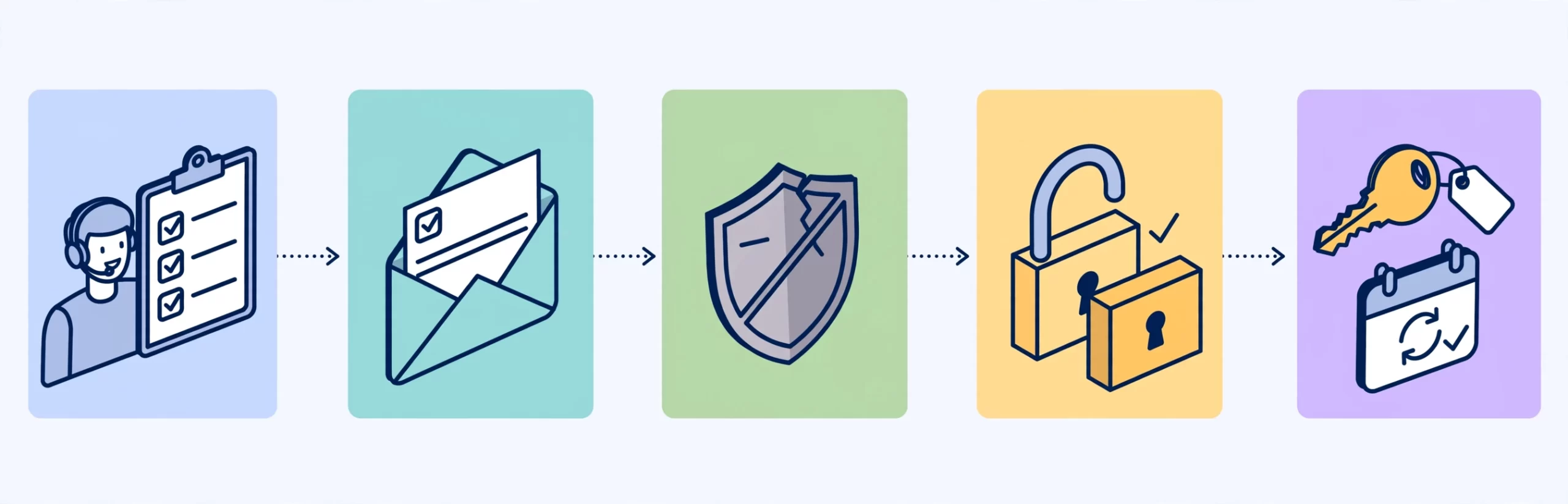
- Confirm the registrant email is accessible and monitored, not an old inbox that’s been abandoned.
- Disable any domain privacy or WHOIS masking that could interfere with confirmation emails reaching the actual registrant.
- Remove any registrar-level “additional protection” services (some registrars bundle a separate transfer-block feature on top of the standard lock).
- Gather the EPP code in advance rather than waiting until the buyer asks for it, since some registrars introduce a short delay before issuing a fresh code.
- Note whether the domain has auto-renew enabled, since a transfer initiated close to a renewal date can occasionally create a billing conflict that needs manual resolution.
Sellers who prepare these details before listing a domain, particularly on a marketplace, generally see fewer disputes and faster escrow releases.
Registrar-Specific Notes Worth Knowing
While ICANN sets the baseline policy, individual registrars layer their own procedures on top of it. A few patterns show up consistently across the industry:
Instant confirmation options.
Several major registrars let both the losing and gaining party approve the transfer manually within their dashboards, bypassing the five-day auto-approval wait entirely.
Extra verification for high-value domains.
Some registrars flag transfers involving domains above a certain estimated value for manual review, which can add a day or two.
Country-code domain (ccTLD) exceptions.
Names like .io, .co, or .us often fall under separate registry rules rather than the standard ICANN transfer policy, so the unlock-and-EPP-code sequence may look slightly different or require an additional registry-specific form.
Bulk transfer tools.
If you’re moving more than one domain at a time, most registrars offer a bulk transfer feature that accepts a list of domains and EPP codes together, which saves considerable time compared to processing each one individually.
Because these differences exist, it’s worth checking your specific registrar’s transfer documentation alongside this general guide rather than assuming every platform behaves identically.
Cost Considerations During a Domain Transfer
Transfers aren’t free, and buyers are sometimes surprised by the line items involved. Here’s a typical breakdown:
| Cost Item | Typical Range | Notes |
|---|---|---|
| Transfer fee | Often bundled with 1-year renewal | Varies by registrar and TLD |
| Renewal extension | Added automatically in most cases | Usually non-negotiable per ICANN rules |
| Premium TLD surcharge | Applies to select extensions only | Check before initiating |
| Expedited processing | Rarely available, but exists at some registrars | Optional, speeds up manual review |
| WHOIS privacy renewal | Sometimes reset on transfer | Confirm settings post-transfer |
Budgeting for these costs upfront, rather than discovering them mid-transfer, keeps negotiations with a seller straightforward and avoids last-minute surprises on either side.
Post-Transfer Checklist
Once the domain lands in your account, a few final steps confirm everything is genuinely complete:
- Verify the domain status shows “Active” or “OK” rather than a pending or locked state.
- Re-enable the transfer lock on your end to prevent unauthorized future moves.
- Update DNS records if you’re pointing the domain to new hosting or a different website builder.
- Reconfigure WHOIS privacy protection if it was reset during the move.
- Set a calendar reminder for the renewal date, since the transfer typically adds a year to the existing registration period.
- If the domain came with existing email accounts, confirm MX records were preserved or reconfigured correctly.
Skipping this final pass is a common reason buyers discover broken email or a lapsed privacy setting weeks after a transfer technically completed.
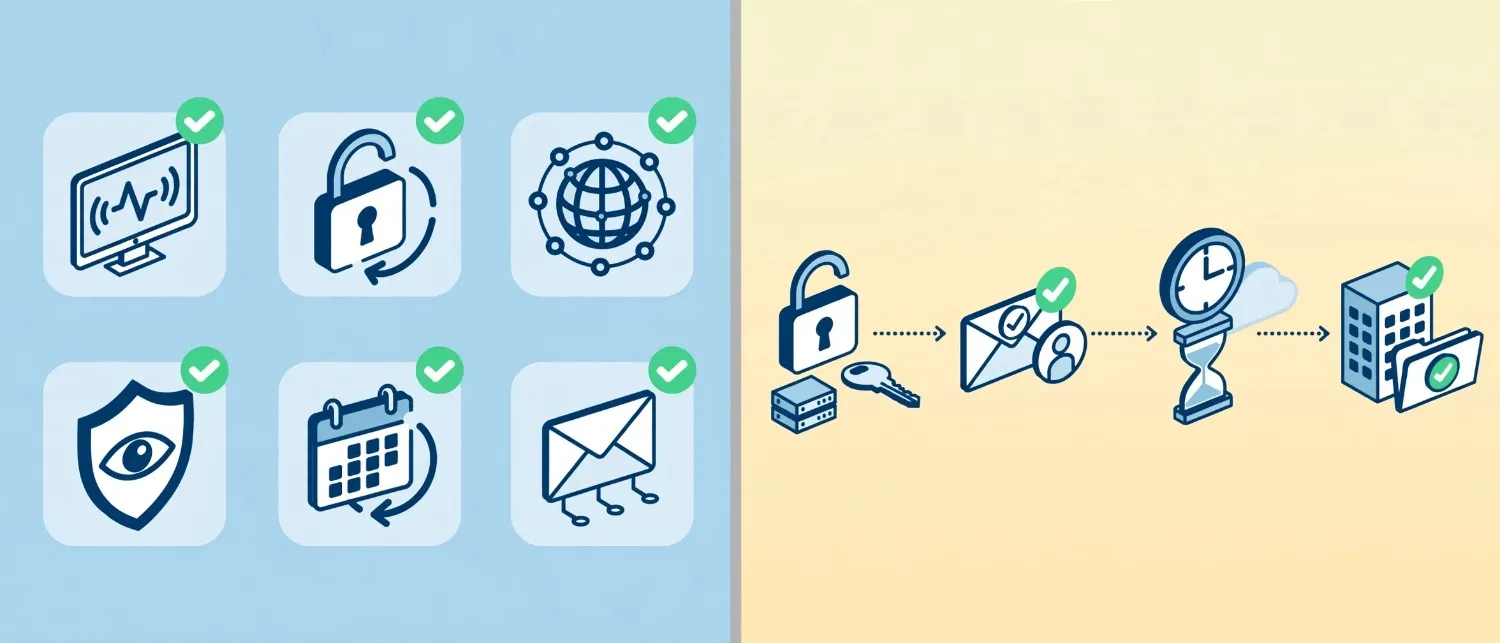
A Realistic Example Timeline
To make the domain transfer process explained feel less abstract, here’s how a typical week plays out for a straightforward single-domain purchase:
- Day 1: Seller unlocks the domain and shares the EPP code. Buyer initiates the transfer at the new registrar and pays the transfer fee.
- Day 1-2: Both registrars send confirmation emails. Buyer and seller approve manually if their registrars support it.
- Day 2: If both parties approved manually, the transfer often completes here.
- Day 2-5: If either party misses the email, the system waits out the standard window.
- Day 5-7: Auto-approval kicks in by default, and the domain appears in the buyer’s account.
This example assumes no complications like an active lock or an eligibility-window conflict. Add either of those, and the timeline extends by however long it takes to resolve them.
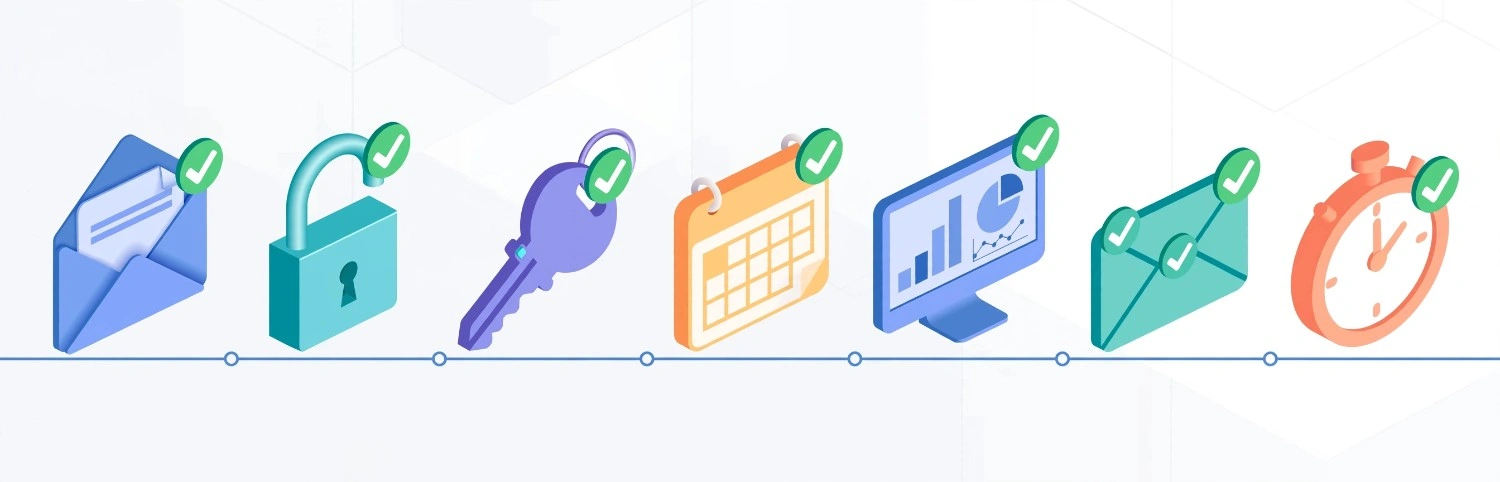
Domain Transfer Process Explained: A Quick-Reference Checklist
For buyers who want the shortest possible version of this guide, here’s the compressed checklist:
- Confirm registrant email access
- Unlock the domain
- Request the EPP code
- Verify the domain is outside the 60-day lock window
- Initiate the transfer at your new registrar
- Approve via email on both ends
- Wait for completion, typically 5-7 days
Keeping this list handy during negotiations means you can walk a seller through exactly what you need from them, rather than discovering missing steps mid-transfer.
Building a Domain Portfolio the Right Way
If this is your first purchase, it’s worth stepping back and thinking about domain buying as a repeatable skill rather than a one-time transaction. Resources like domain investing for beginners walk through how to evaluate names before you ever reach the transfer stage, and understanding how to buy a premium domain name cheap helps set realistic price expectations before negotiations start.
For founders specifically, it’s also worth reading why startup name and domain strategy should come before the business plan, since the transfer conversation becomes far simpler when the name was chosen deliberately rather than picked under time pressure.
Handling Transfer Disputes
Occasionally, a transfer stalls because the losing registrar denies the request rather than simply ignoring it. ICANN policy allows denial only for a limited set of reasons, which include:
- Evidence of fraud
- An unpaid registration fee tied to the domain
- A written request from the registrant to keep the domain in place
- An unresolved dispute over the identity of the registrant
If none of these apply and a registrar still denies or ignores a legitimate transfer request, ICANN provides a formal complaint process through its Transfer Dispute Resolution Policy. Filing a complaint is rarely necessary, since the vast majority of stalled transfers trace back to a simple unlock or eligibility-window issue rather than genuine bad faith, but knowing the option exists is useful leverage in a stalled negotiation.
Buyers who purchased through an escrow-backed marketplace have an added layer of protection here, since the platform typically mediates directly with the registrar on the buyer’s behalf rather than leaving the buyer to navigate ICANN’s dispute process alone.
Cross-Border and International Transfer Considerations
Domain transfers between registrars based in different countries generally follow the same ICANN framework, but a few added factors are worth checking:

Currency and payment processing.
Transfer fees may be charged in a different currency than expected, which can affect the final cost slightly.
Data protection compliance.
Some registrars apply additional identity verification steps for registrants in regions covered by strict data protection regulation, which can extend the confirmation timeline by a day or two.
Time zone gaps.
Confirmation emails sent overnight in the registrant’s time zone sometimes get missed simply due to the delay before the recipient sees them, which is worth factoring into your five-day expectation.
Language differences in confirmation portals.
A losing registrar based in a non-English-speaking market may present transfer confirmation pages in its local language, so having a translation tool ready avoids confusion during approval.
None of these factors typically block a transfer outright, but accounting for them ahead of time prevents unnecessary alarm if the process takes a day or two longer than the domestic average.
Frequently Asked Questions
How long does the domain transfer process take?
Most transfers complete within five to seven days, though some registrars support faster approval if both parties confirm immediately rather than waiting for auto-approval.
Can I cancel a domain transfer once it’s started?
Yes, most registrars allow cancellation before final approval, though once the losing registrar approves the release, the transfer generally can’t be reversed until it completes.
What happens if I don’t respond to the transfer confirmation email?
ICANN policy typically allows the transfer to auto-approve after five days by default, so a missed email doesn’t necessarily stop the process, though it does prevent an early completion.
Do I need the EPP code if I already own the domain?
Yes. Even moving a domain you already own between two of your own registrar accounts requires the same unlock and EPP code sequence.
Is a domain transfer the same as changing ownership?
No. A domain transfer changes the registrar hosting the domain, while an ownership change updates the registrant on record. Buyers coming from a private sale usually need both to happen together.
Why was my domain transfer rejected?
Common rejection reasons include an active transfer lock, a domain still inside the 60-day eligibility window, or an expired EPP code. Checking each of these before resubmitting resolves the issue in most cases.
Conclusion
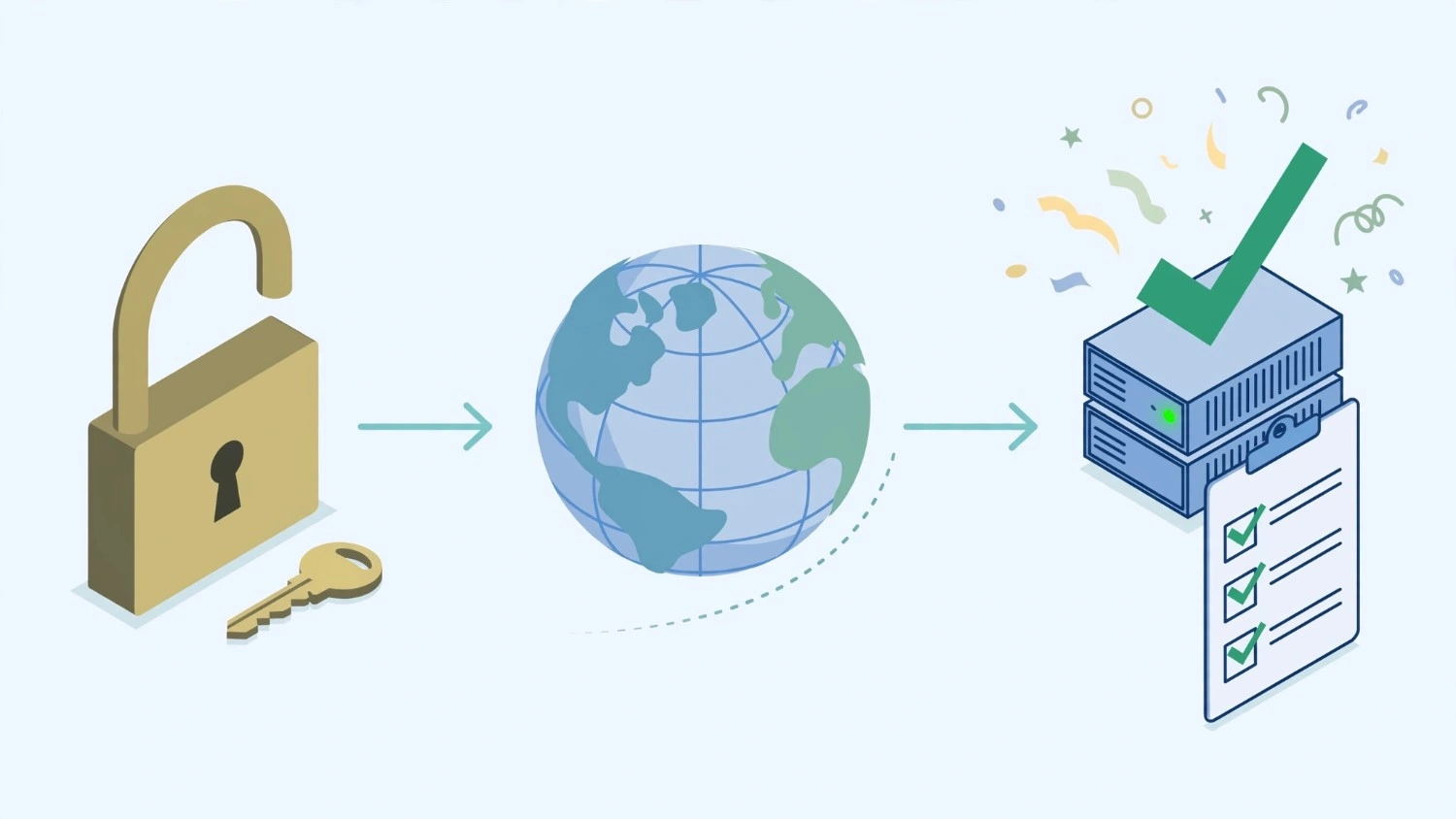
The domain transfer process explained in this guide follows a predictable sequence: unlock, authorize, initiate, confirm, and wait. None of these steps are technically difficult, but skipping or rushing any single one is what causes most delays buyers experience. Treat the checklist above as a working document during your next purchase negotiation, and the transfer itself becomes routine rather than stressful.
Ready to put this into practice? and start your next purchase with the transfer process already mapped out.
Pingback: 7 Hidden Premium Domain Price Factors Buyers Miss
Pingback: Best Time to Buy a Premium Domain? Timing Guide